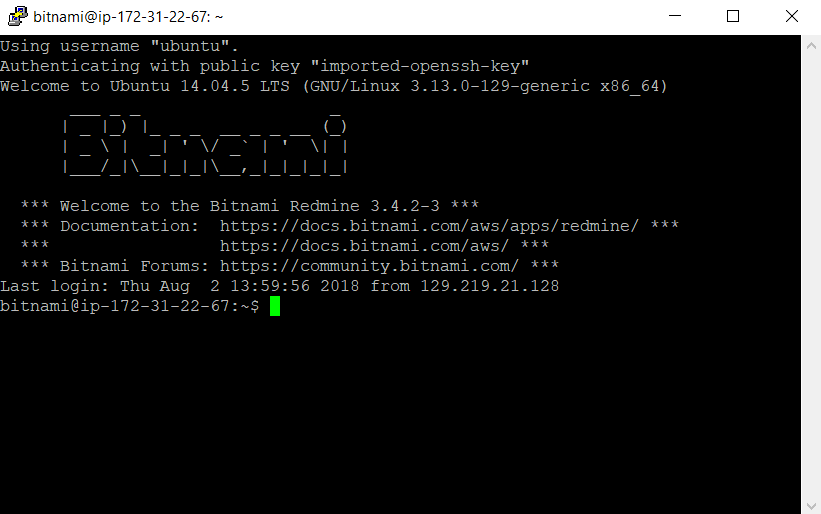
AWS Console login
Step 1
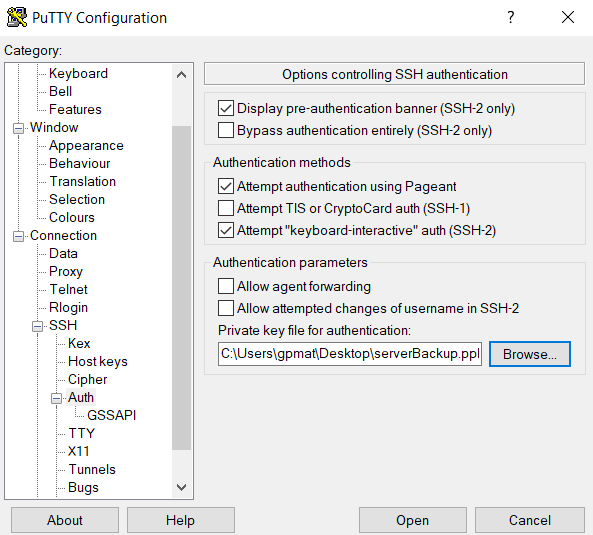
Open a new Putty session, expand the "Auth" section and browse to the "serverBackup.ppk" file
Step 2
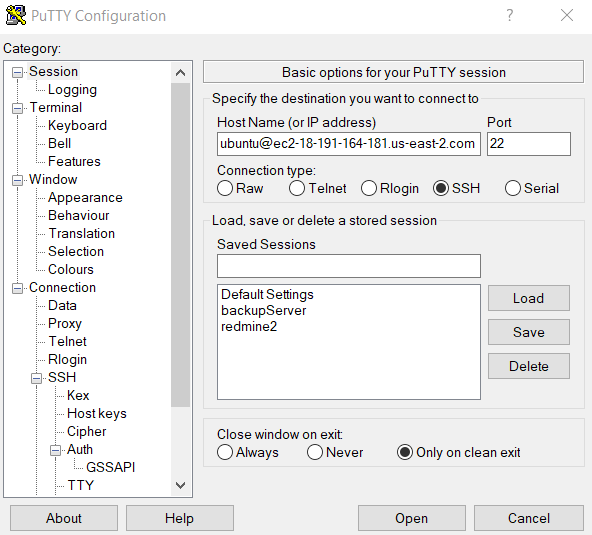
In the "session" section file in "Host Name (or IP address)" with "ubuntu@ec2-xxx-xxx-xxx-xxx.us-east-2.compute.amazonaws.com",
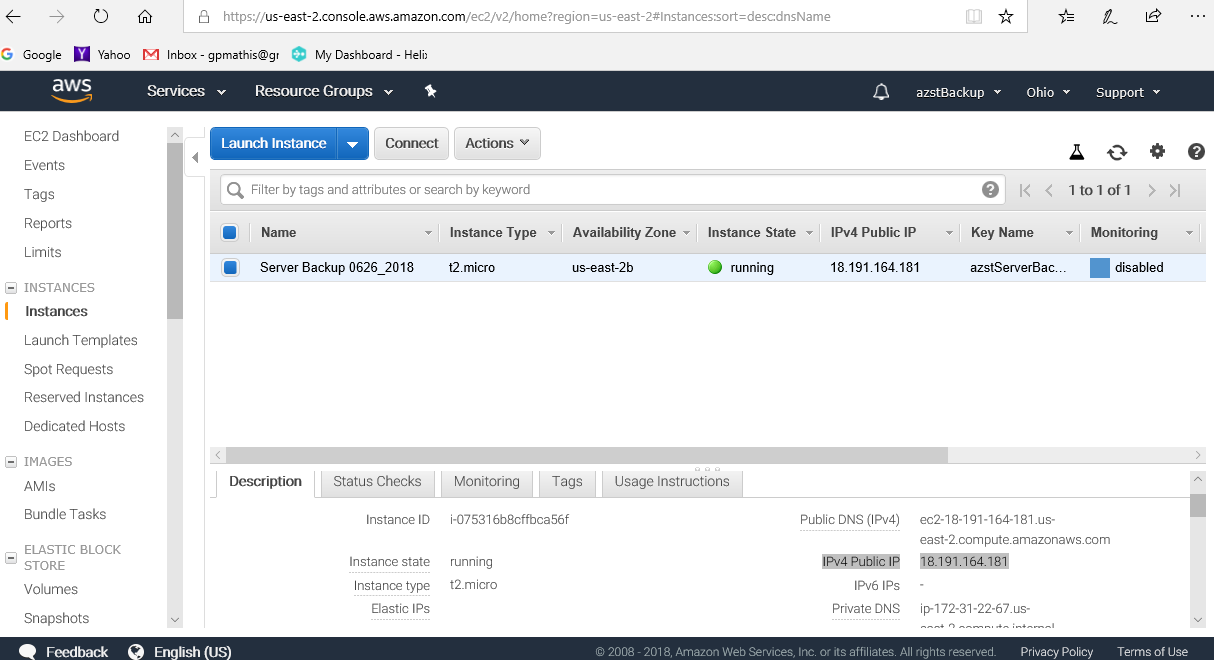
where xxx.xxx.xxx.xxx is the public IP address of your AWS server instance.
Step 3
Select Open. Should be in like: