AWS Console login » History » Version 5
« Previous -
Version 5/9
(diff) -
Next » -
Current version
Greg Mathis, 08/02/2018 02:14 PM
AWS Console login
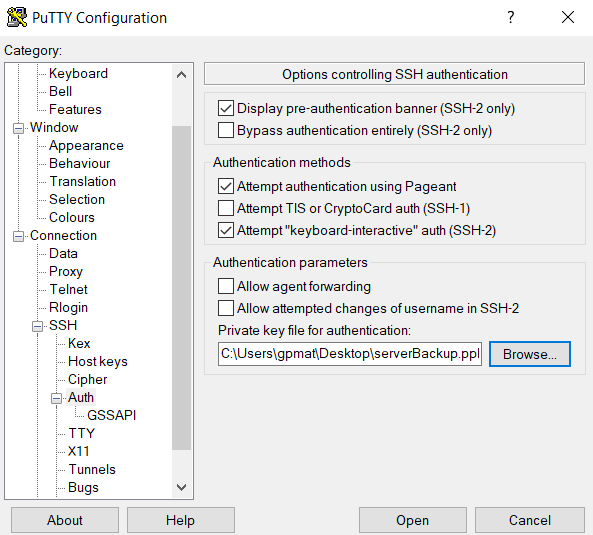
1. Open a new Putty session, expand the "Auth" section and browse to the "serverBackup.ppk" file
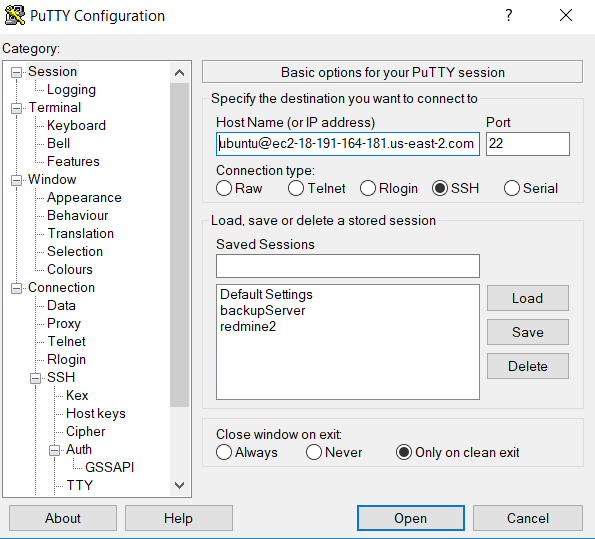
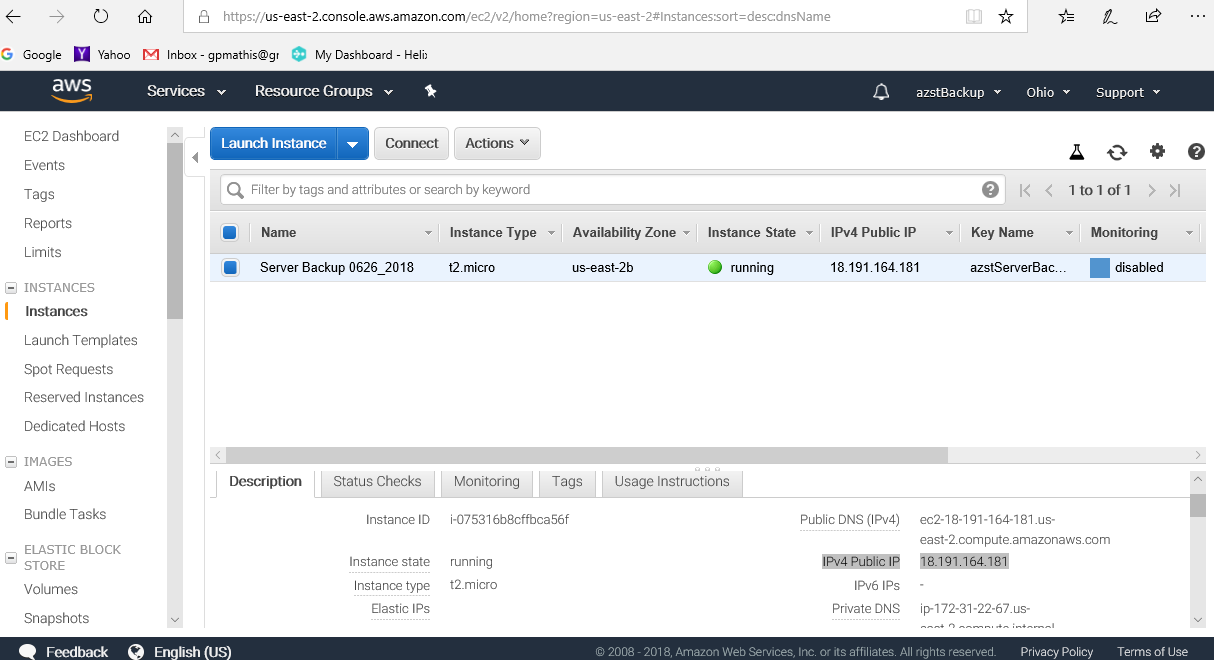
2. In the "session" section file in "Host Name (or IP address)" with "ubuntu@ec2-xxx-xxx-xxx-xxx.us-east-2.compute.amazonaws.com",
where xxx.xxx.xxx.xxx is the public IP address of your AWS server instance.